

The Yesbot infrastructure is highly secure and provides complete confidentiality for all your test data. However if you cannot have even your test data on a server different from your own on promise (for regulation reasons), or approved cloud platforms, it is possible for you to run your own Testbot server instance.
IMPORTANT : For now we only allow the execution of on-premise Testbot server instances on Linux 64 bits systems. Other platforms are not supported yet.
First, contact us to enrol into the Testbot on-premise server download program, so that we can grant you this permission on the Yesbot portal.
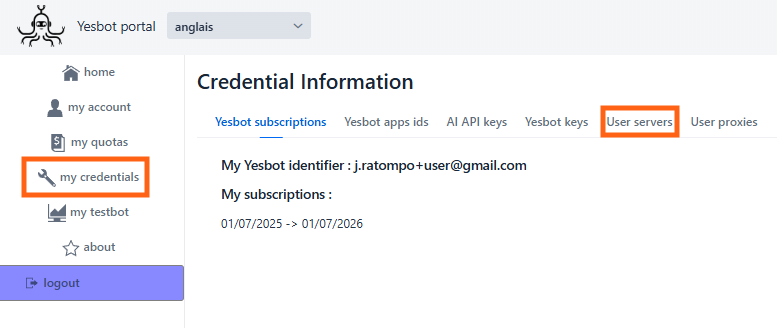
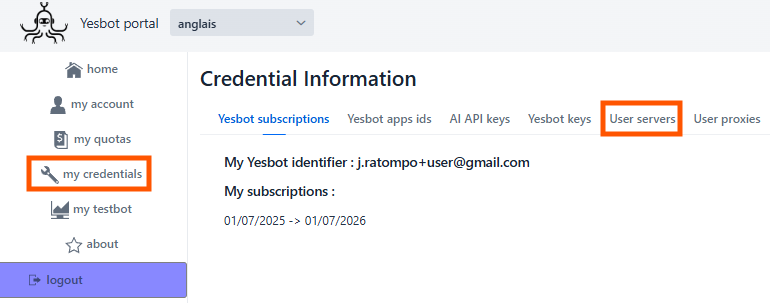
Once we have granted you this permission on your Yesbot portal account, you will have access to «User servers» management on your «Credentials» account section :
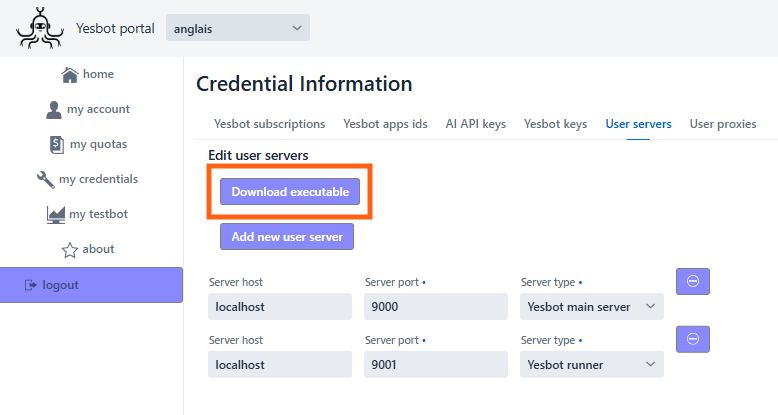
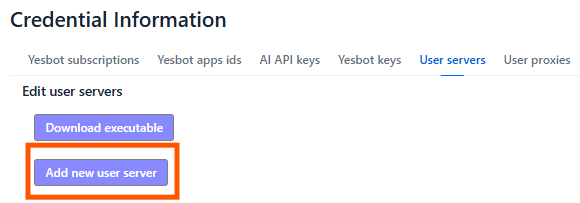
Now simply access the «User servers» tab and click on the «Download executable» button :
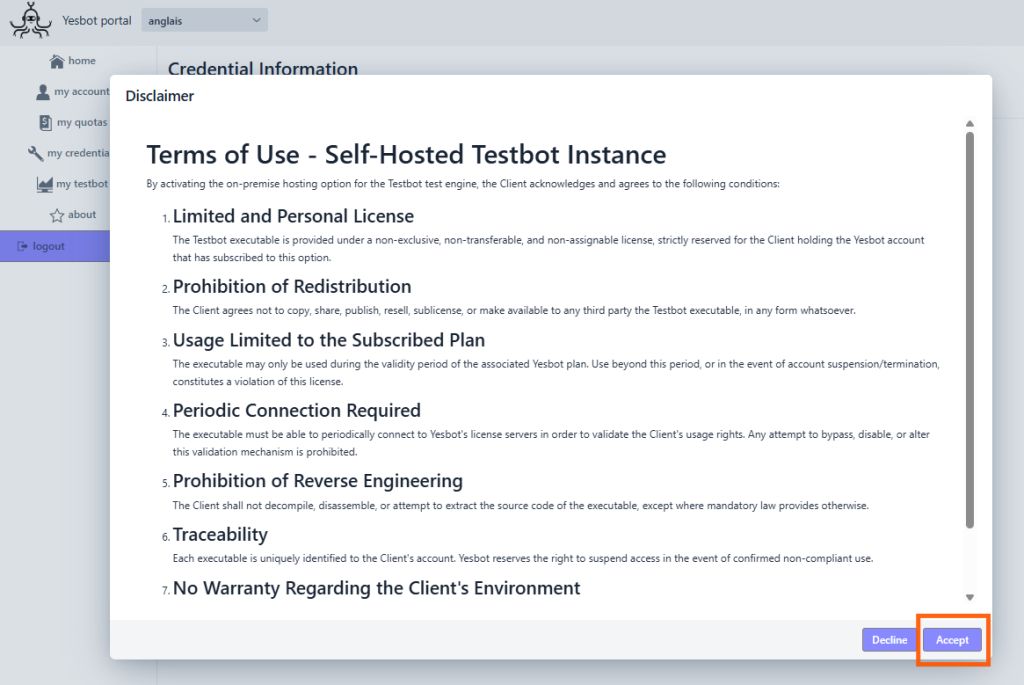
You will see a disclaimer popup. Please read it carefully. If you accept the terms, then the Testbot server executable download will start.
You will get a .js executable file :
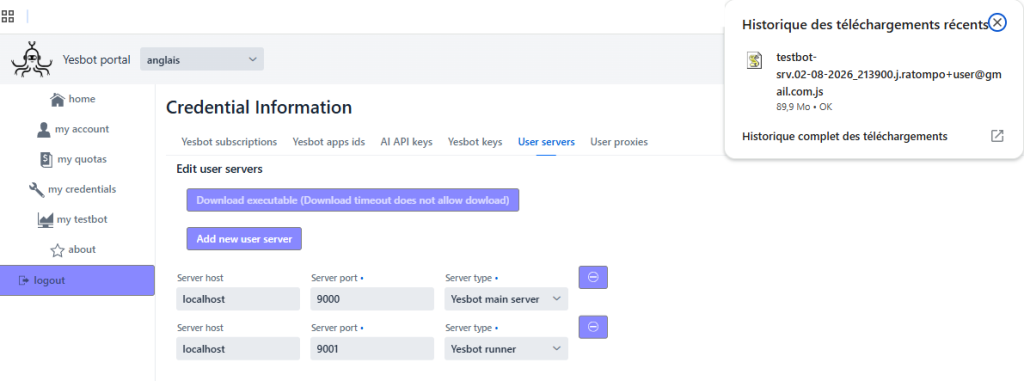
Place this executable file in a directory on your Linux hosting server. Make sure you also have your certificate files : your certificate file and your private key file, you will need them to run the Testbot server. Then simply run the executable, and you should see your Testbot server running :
Here is an example command : ./testbot-srv.02-08-2026_213900.j.ratompo+user@gmail.com.js https://yesbot.io:8090 cert.pem privkey.pem
The command arguments are, in this order :
- The Yesbot platform URL. It is https://yesbot.io:8090 for the EXP environment, and https://yesbot.io:8080 for the PROD environment. Please contact us if you are unsure what environment you must use.
- The file path to your SSL certificate file
- The file path to your SSL certificate private key file
- [Optional] The port on which you want to run your Testbot server main instance on. (default is 9000)
- [Optional] The port on which you want to run your Testbot server runner instance on. (default is 9001)
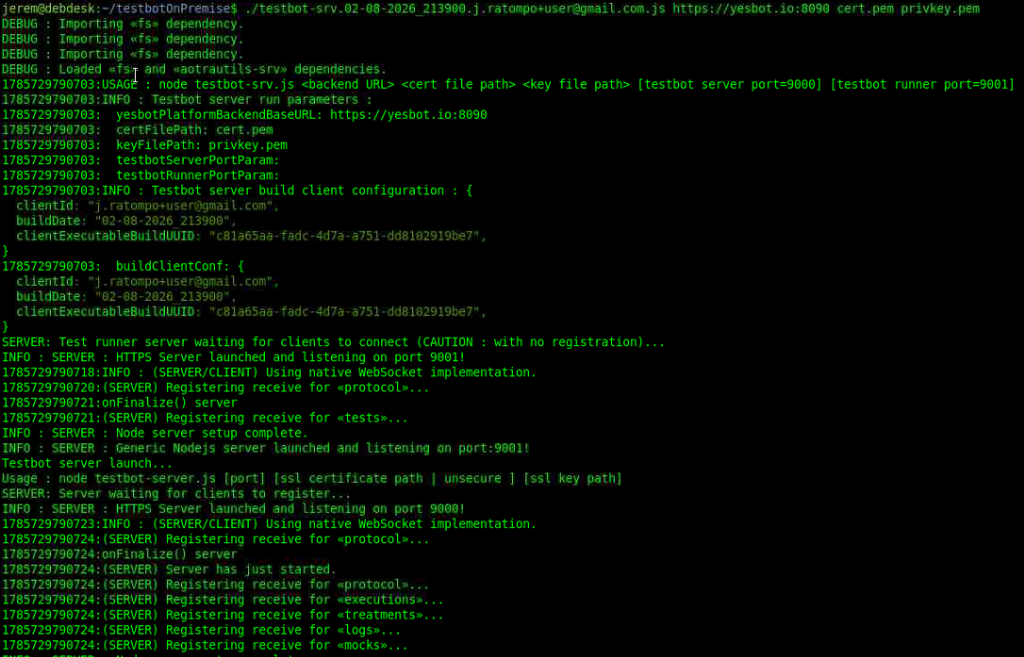
If it works congratulations ! You now have your own running Testbot server instance. Please note that each instance can be used as Testbot main instance and runner instance. The Testbot instance executable will also create a dataDir/ directory that will hold all your private tests data.
Then you must configure your newly ready Testbot on-premise server instance on the Yesbot Portal.
First, go to your «Credentials» account section, in the Yesbot portal, and then to your “User servers” tab :
Then click on «Add new user server»
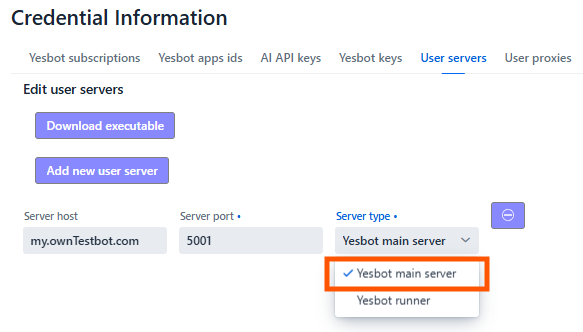
First add a new «main» instance. Select the «Yesbot main server» option in the «Server type» drop-down :
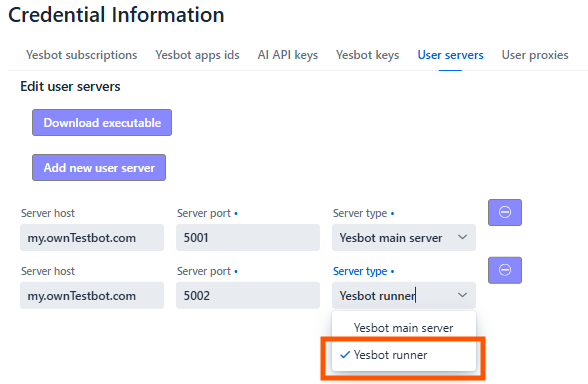
Then add a new «runner» instance by choosing «Yesbot runner» as server type :
Then go to «my testbot» page, you should be able to select your Testbot main and runner instance.